 Petty Cash Manager
Every cash slip recorded, approved and accounted for.
Give each person a cash float, snap the receipt on their phone, approve it, and top the float back up. Petty Cash Manager keeps the balance, the paperwork and the tax in one place.
No card needed for the trial. Works in your browser and installs on phone or computer.
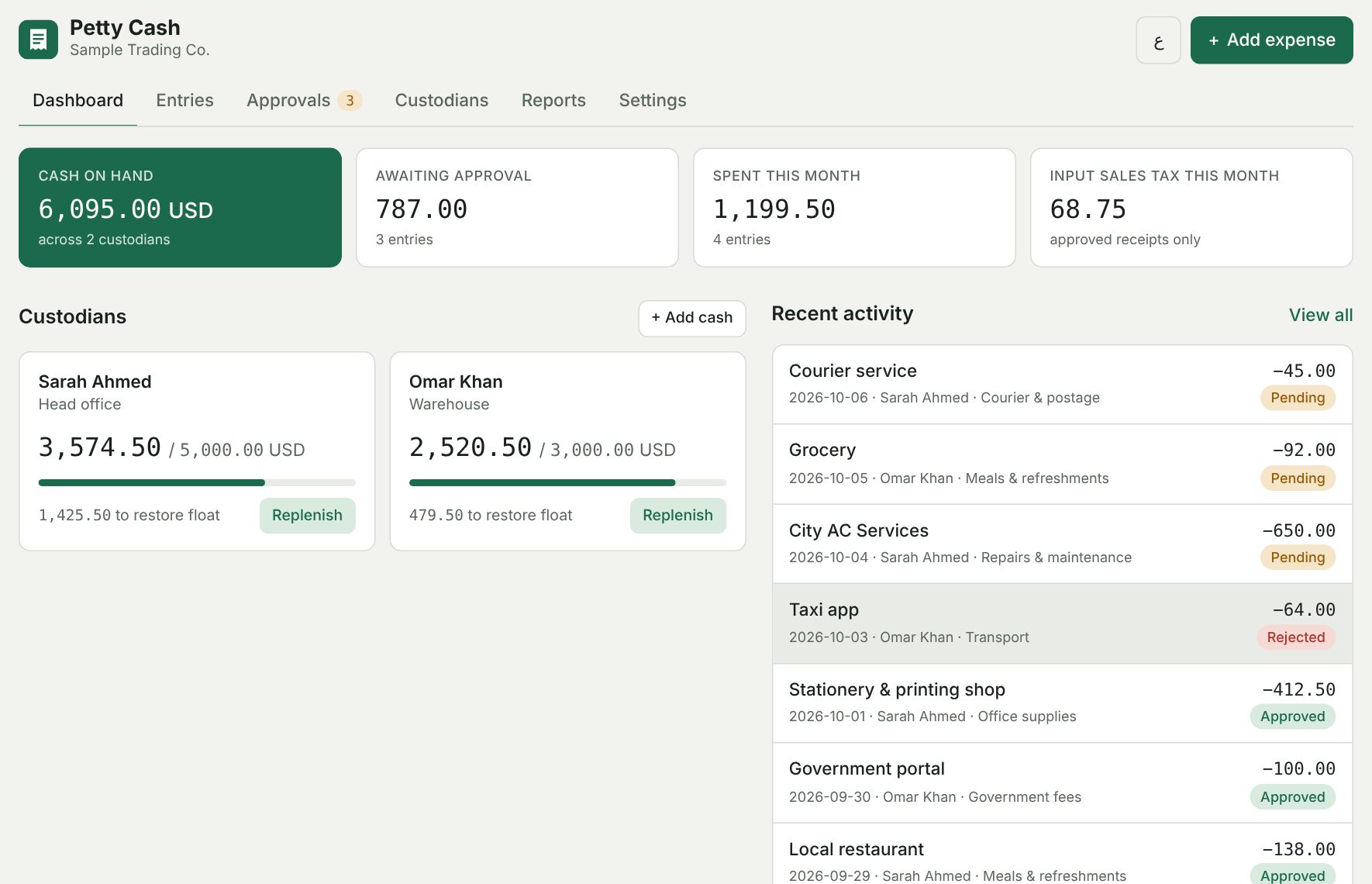
Built for the way petty cash really works
An accountant's tool, not a generic expense tracker. It follows the imprest system most companies already use.
Custodians and floats
Each person or site gets a fixed float with a live balance. A low-cash warning shows who needs topping up.
Receipt photos
Take the photo straight from the phone camera. Every entry gets a reference number like PC-0042.
Automatic tax split
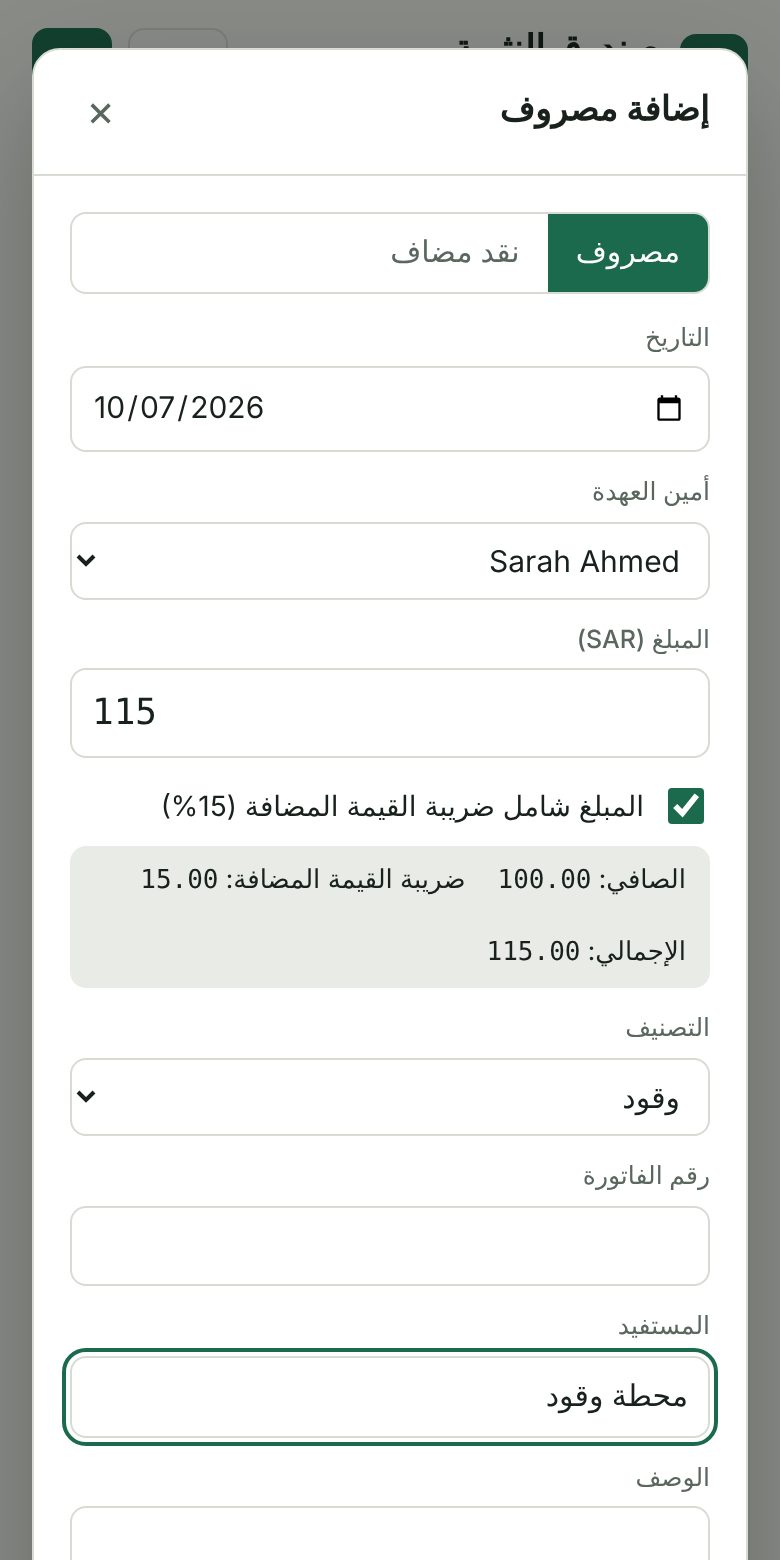
VAT, GST or sales tax at your rate. Each receipt is split into net and tax, ready for your tax return.
Approvals
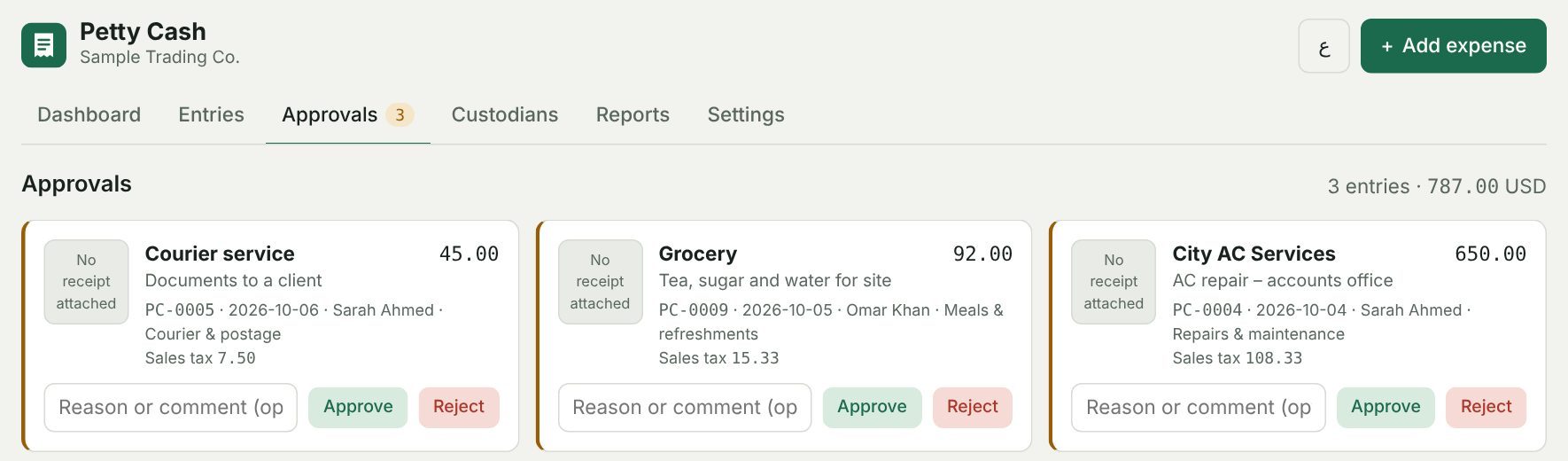
Every expense starts as Pending. The approver approves or rejects it with a note, so nothing slips through.
Works with your accounting software
Spending reports, an input-tax register, and import-ready files for Zoho Books, QuickBooks and Xero.
Your country, your language
Pick your country and the currency and tax rate fill in. Full English and right-to-left Arabic.
Three steps, every month
Set the float
Add each custodian and the cash amount they hold, for example 5,000.
Record each receipt
The custodian enters the amount, picks a category and attaches the photo. Tax is split for them.
Approve and replenish
The approver reviews the receipts. One click tops the float back to its full amount.
Put it on your phone or computer
No app store needed. Install it once from your browser and it opens like any other app, works offline and updates itself.
Android phone
- Open the app in Chrome.
- Tap Install app at the top of the app, or tap the ⋮ menu and choose Install app (or Add to Home screen).
- Tap Install. The icon appears on your home screen.
iPhone or iPad
- Open the app in Safari.
- Tap the Share button at the bottom of the screen.
- Scroll down and tap Add to Home Screen, then Add.
Windows or Mac computer
- Open the app in Chrome or Edge.
- Click Install app at the top of the app, or the install icon at the right end of the address bar.
- Click Install. It opens in its own window and appears in your Start menu or Dock.
Your entries are saved on each device separately. To move them to a new phone or computer, use Settings → Download backup on the old one and Restore from backup on the new one.
One app, four ways to pay
Every plan includes every feature. The longer the plan, the more you save. Prices in US dollars.
Frequently asked
Where is my data stored?
On your own device, inside your browser. Your entries and receipt photos are never uploaded to our servers. Use Settings → Download backup regularly, and Restore to move to a new device.
Does it work without internet?
Yes. Once opened or installed, the app works offline. It goes online only to check for updates and to confirm your license about once a week.
How does the free trial work?
Open the app and use every feature for 14 days. It starts with sample data so you can see how it works; clear it with one click when you are ready. After the trial, your entries stay safe and viewable, and a license key unlocks adding new ones.
How do I get my license key?
After you pay, your key is emailed to you straight away. Enter it under Settings → License in the app.
Can I use it on more than one device?
Each license works on 2 devices, for example one computer and one phone. Data is stored per device, so use backup and restore to copy it between them.
Which countries and taxes are supported?
Any country. Pick from 24 presets (such as Saudi Arabia, UAE, Pakistan, India, UK and the US) or set your own currency, tax name and rate. Always check that the rate matches your current local rate.
Does it work with Zoho Books, QuickBooks or Xero?
Yes. In Reports, download a file made for Zoho Books (as expenses) or for QuickBooks and Xero (as a petty cash account statement), then import it in your accounting software. You can match each category to your own account names or codes in Settings.
Can I cancel?
Yes, at any time from the link in your receipt email. Your plan stays active until the end of the period you paid for. See our refund policy.